How to Create and Get an E-Contract Signed for Free (2026)
Jun 21, 2026
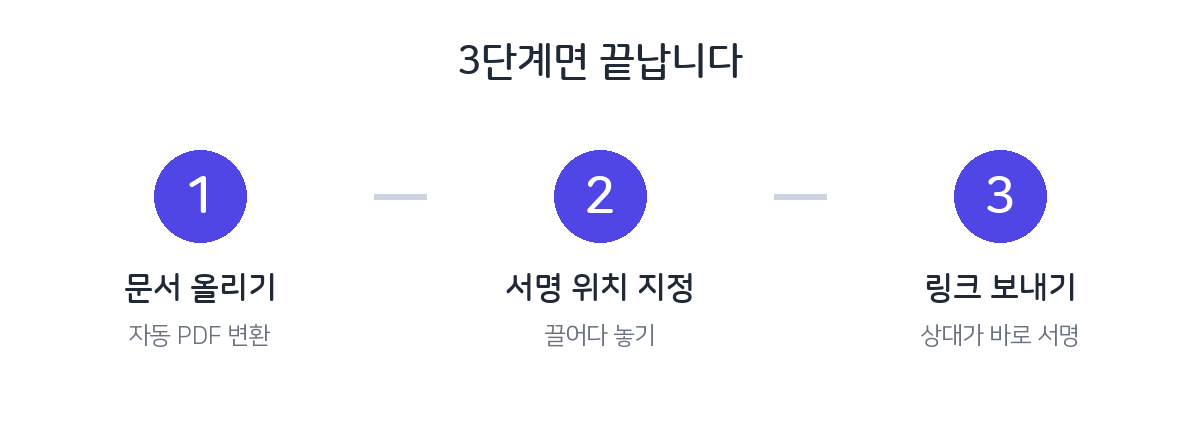
Every time you exchange a contract or consent form — printing it, stamping it, scanning it again, and emailing it — takes more time than you'd think. If the other party is far away or busy, it can drag on for days. With an electronic contract, this whole process comes down to three actions: "upload the document → place signature fields → send the link." This article lays out, step by step, how to create an e-contract and get it signed by the other party without spending a single won — easy enough for first-time users to follow.

Why electronic contracts are great
- Zero cost — No printing, scanning, mailing, or in-person visits. Paper, transport, and time are all saved.
- No sign-up for the other party — They sign from the link with just mobile or email verification. No app install and no sign-up.
- Evidence kept automatically — An audit trail with the signing time, access IP, and identity-verification method is recorded automatically.
- Completed on mobile — The other party can sign on the spot from an iPhone or Android, so completion rates are high.
When you'll use it
Not just for grand contracts — you can use it for almost any document that needs a signature or consent.
- Freelance and outsourced service contracts, short-term employment contracts
- Purchase-order and delivery confirmations with partners, quote approvals
- Participation consent forms for study groups, meetups, and classes; personal-data collection and use consent
- Simple agreements for used-goods deals, small loans, and the like
Get it signed in three minutes — five steps
- Log in — All you do at FreeSign is enter the one-time code (OTP) sent to your email. There's no separate password to create.
- Upload the document — Upload a PDF, or a Word (DOC/DOCX), Hancom Hangul (HWP/HWPX), or image file, and it's auto-converted to PDF. Just use the form you already have.
- Place signature fields — Drag signature, stamp, date, and text fields onto the document wherever you want them. You can also assign who fills each field.
- Enter recipients and send — Enter the other party's email or mobile number, and if there are several people, set the signing order (sequential/parallel) and send.
- Complete and store — Once the other party signs, the completed PDF and audit-trail certificate are filed automatically in your "signed documents" folder and emailed to the parties as well.
Sequential proceeds in a set order (e.g., party B signs first, then party A), while parallel lets several people each sign at the same time. Choose sequential when order matters, like an approval chain, and parallel when fast turnaround matters most.
If you don't have a contract template
Just write a standard template (service, lease, employment, NDA, etc.) in Word or Hancom Hangul and upload it as-is. FreeSign auto-converts it to PDF, so you don't need a separate conversion program. Even a Hancom Hangul (HWP) template you downloaded from the web can be used right away, with no Hancom Office install.
Legal validity and safety
An e-signature can carry the same effect as a signature or seal on paper once identity verification, intent to sign, integrity, and an audit trail are in place. FreeSign seals the completed document with a SHA-256 fingerprint, and anyone can check whether it has been altered on the verification page. For more on the legal basis, see our article on the legal validity of e-signatures.
No install or sign-up; with just an email, three minutes is plenty.
Start FreeSign for free →Frequently asked questions
Q. Is it really free all the way through?
Yes. Creating, sending, completing the signature, and verification are all free. (A small storage fee may apply only if you keep a completed document long-term, beyond 30 days after signing.)
Q. Does the other party have to install an app or sign up?
No. They tap the link, confirm the verification code, and sign right in the browser. Even business partners and older relatives have no hassle.
Q. What if several people need to sign?
Both sequential (in turn) and parallel (at once) signing are supported. You can also assign a separate set of fields for each person.
Q. Where can I find a contract after signing is done?
The completed PDF and audit trail are filed automatically in your "signed documents" folder and emailed to all parties as well.