How to Reorder, Rotate, and Delete PDF Pages (Free, No Install)
Jun 21, 2026
Have you ever opened a PDF you fed through a scanner all at once, only to find pages scanned in upside down or sideways, the order all jumbled, or stray blank pages wedged in between? Rescanning is a hassle, and installing heavy editing software feels like overkill. The truth is, reordering pages, rotating them, and dropping the ones you do not need takes only seconds in your browser. This guide walks through how to preview PDF pages as thumbnails and reorder, rotate, and delete them for free, with no install or sign-up.
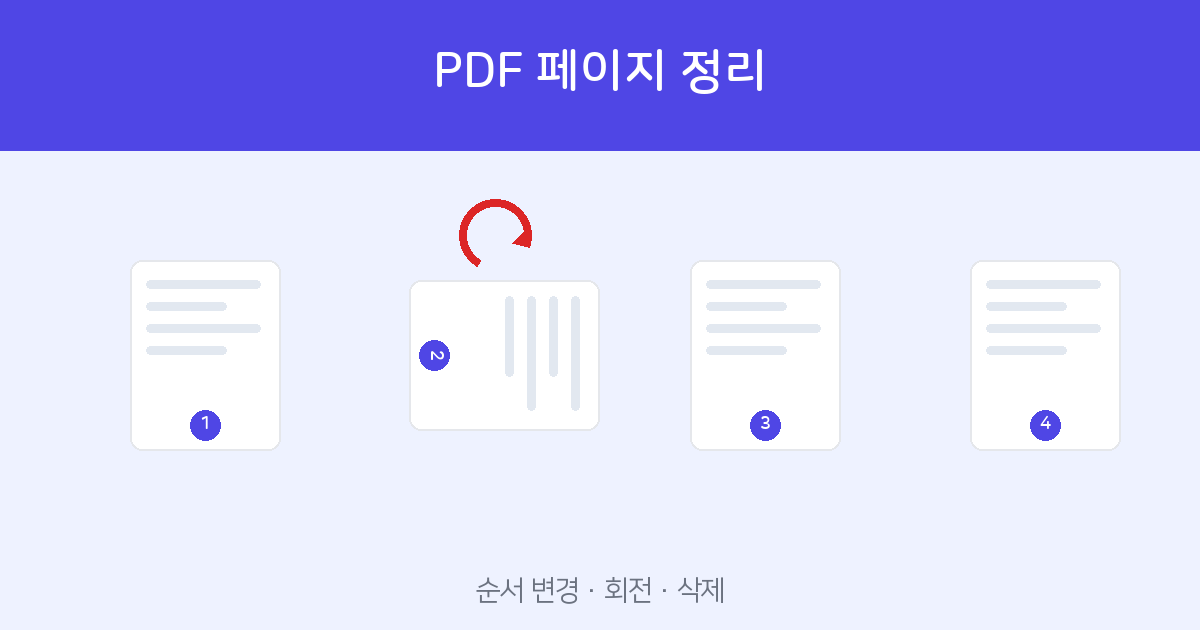
Drag the page thumbnails to reorder, use ↺↻ to rotate, and × to delete. Free, no install or sign-up (up to 100MB).
Organize pages →Three things at once, on one screen
"Organize PDF Pages" lays your pages out as small thumbnails, so you can see at a glance which page is flipped or duplicated and fix it as you go.
- Reorder — drag a thumbnail and drop it into the position you want.
- Rotate — straighten pages that came in upside down or sideways with the ↺↻ buttons, 90° at a time.
- Delete — remove blank or misplaced pages with the × button.
How to organize — 3 steps
- Open the PDF — upload your file to Organize PDF Pages and every page fans out as a thumbnail at a glance. It looks the same on mobile.
- Reorder, rotate, delete — drag thumbnails to move them, use the rotate buttons to fix orientation, and remove unneeded pages with ×. You can mix several actions in one pass.
- Save as PDF — click "Save as PDF" and the organized result downloads as a new PDF right away. The original stays untouched.
Uploaded files are used only for processing and are not stored on the server.
Especially handy when
- Fixing documents fed through a scanner all at once with mixed orientations.
- Resorting a cover, body, and appendix to match a required submission format.
- Removing blank or duplicate pages before submitting to keep things clean.
- When only the orientation is off, you can leave the order as is and apply rotation only before saving.
Tools that pair well
- To combine several PDFs into one → Merge PDF
- To pull out only specific pages → Split PDF
- If the file is large after organizing → Compress PDF
Drag to reorder, buttons to rotate and delete. Free, no install or sign-up.
Organize now →Frequently asked questions
Q. Can I only rotate pages?
Yes. You can leave the order untouched and apply just rotation or deletion before saving.
Q. Is it free? Are my files stored?
It is free, and uploaded files are used only for processing and are not stored on the server.
Q. Does it handle a lot of pages?
Yes. You can work on documents with dozens of pages laid out as thumbnails, and you can upload files up to 100MB.
Q. Does it work with password-protected PDFs?
For security, password-protected files are not processed. Unlock it first at PDF Password, then upload.